


Screen mirroring has become a common way to connect your devices, allowing users to enjoy content on larger screens, such as TVs and projectors. However, many users find themselves struggling with delayed responses and distorted images during this process. You may have experienced moments when your screen mirroring connection was not as rapide as expected, leaving you frustrated. There are several known factors that can contribute to this issue, including system updates, the frequency of your internet connection band, and the performance of the product you are using.
- Check that both devices run the latest software updates to fix bugs and improve mirroring performance.
- Use a strong, low-interference Wi-Fi network or switch to a wired connection to reduce latency.
- Close background apps and free device resources so processors and memory prioritize screen mirroring.
- Ensure device compatibility, quality cables, and minimize distance or obstructions between devices.
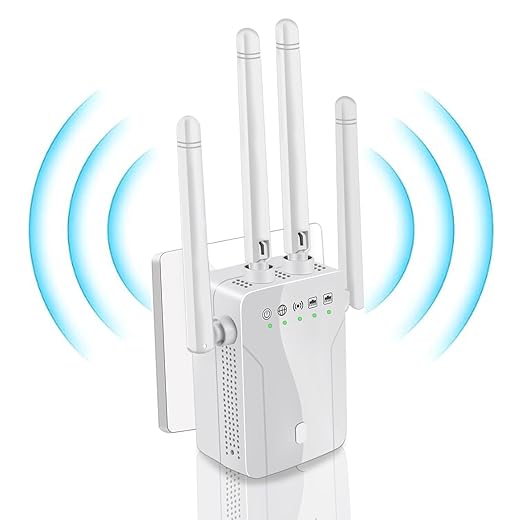


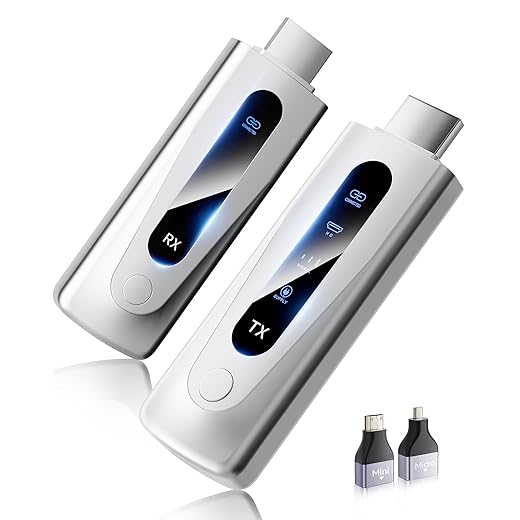

When you’ve faced delays while trying to perform screen mirroring, the root causes could be due to errors in operating systems or apps that have not been updated properly. In many cases, restarting your device or refreshing the connection can resolve the issue, but there may be additional settings or forces at play that require more in-depth troubleshooting. It is essential to explore these possibilities instead of accepting failure as your only outcome.
Throughout this article, we will introduce you to seven practical fixes that can significantly enhance your screen mirroring experience. From ensuring that your devices are connected to the same network, to installing specified updates for your apps and operating system, we have found proven solutions that work for most users. With each recommendation, you will gain the ability to command your devices more effectively and enjoy every moment spent mirroring screens without missing crucial resolutions.
Understanding Screen Mirroring Lag
Screen mirroring lag can be a frustrating experience, especially when trying to enjoy smooth viewing on larger displays. This lag can impact the performance of both modern laptops and external monitors, making the experience less enjoyable. There are multiple factors that contribute to this issue, and understanding them can help you take the right steps to enhance your experience.
First and foremost, screen mirroring relies heavily on the strength and frequency of your Wi-Fi connection. Poor signal quality can lead to significant delays. Ensure you’re using good-quality cables and adapters if you’re connecting devices via HDMI or DisplayPort. Switching to a wired connection can often reduce lag, particularly in larger rooms where wireless interference might be an issue.
When mirroring from your phone, always check for updates from the app you’re using, like Microsoft’s screen sharing feature. Installing the latest version can make a noticeable difference. Additionally, disabling any background tasks or launchers on your device can free up resources, allowing your phone to focus on the mirroring task at hand.
- Use a good-quality display adapter, like the Cable Matters DisplayPort to HDMI Adapter.
- Try installing a reliable wireless display adapter, such as the Microsoft Wireless Display Adapter.
- Consider purchasing a cordless HDMI extender like the J-Tech Digital Wireless HDMI Extender.
Additionally, the orientation and positioning of your devices can dramatically impact performance. Ensure that your phone and monitors are positioned in areas with minimal obstruction. For better connectivity, orienting your devices towards the Wi-Fi source can also help.
In summary, the lag experienced during screen mirroring can be addressed by taking these practical steps. Whether it’s upgrading your hardware, controlling your network frequency, or making sure your devices are correctly oriented, each part contributes to a smoother experience. Remember to regularly update your equipment and explore different settings to find the best combination for your needs.
What Causes Lag in Screen Mirroring?
Screen mirroring offers an amazing way to share content from your device to a larger screen. However, many users experience lag during this process. This lag can be attributed to various factors. For example, if you are streaming high-definition video, your device may struggle to process the information quickly, resulting in a delay.
One specific cause of lag can be the connection between your devices. If you’re using a cordless connection, like Wi-Fi, interference from other electronic sources can impact the performance. This interference can come from other devices operating on similar frequencies or even physical obstructions. It’s crucial to ensure there are minimal obstacles between your source and the receiving device.
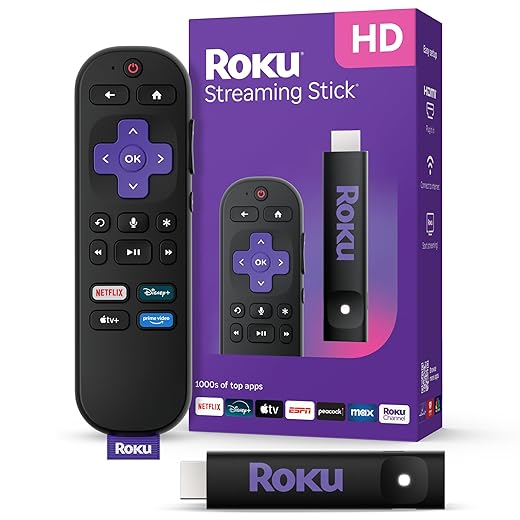
Another factor that can cause lag is the hardware being used. If your streaming device or phones are outdated, they may not handle the specified resolutions and processing tasks efficiently. Updating drivers and software can often resolve these issues. For good-quality results, devices like the Roku Streaming Stick or the Amazon Fire TV Stick are excellent examples of non-native technologies that offer seamless experiences when streaming.
Cache and processing power also play a significant role. A device with limited cache memory may struggle to keep up with demands while mirroring. Clearing the cache regularly can help ensure that you’re not waiting too long for a signal to connect or disconnect. Furthermore, if an error occurs, it might lead to another layer of lag if the system takes longer to correct itself.
In summary, the causes of lag in screen mirroring are varied. By understanding the technology and ensuring your devices are updated, you can significantly enhance your experience. You should regularly check for software updates and consider investing in efficient extenders to improve your connection. Following these simple guides can make front-line issues like buffering or lag a thing of the past!
How Wi-Fi Connection Affects Mirroring Performance
When it comes to screen mirroring, the quality of your Wi-Fi connection plays a critical role. A poor or unstable connection can cause significant lag, making your experience frustrating. Instead of enjoying seamless streaming and sharing, you might find yourself struggling with black screens and delayed response times. This lag can happen particularly when multiple devices are connected to the same network, as they compete for bandwidth.
Wi-Fi operates on frequencies that can easily be disrupted. For instance, if you’re using a device that relies on infrared for connection, such as some older remotes, you may experience disconnections. Similarly, microwaves can cause interference, turning your smooth display into a pixelated mess. To combat this, consider placing your devices closer together or rearranging your setup. Wall placements also matter; the farther apart your devices are, the weaker the signal, which might lead to troubleshooting issues.
| Device | Type | Wi-Fi Technology |
|---|---|---|
| Roku Streaming Stick 4K | Streaming Device | Wi-Fi 802.11ac |
| Amazon Fire TV Stick 4K | Streaming Device | Wi-Fi 802.11ac |
| Apple TV 4K | Streaming Device | Wi-Fi 802.11ac |
Another common issue arises from loose connections or faulty ports. If your HDMI or DisplayPort cables are not securely attached, it can lead to intermittent performance or be unable to transmit data properly. Ensure all your devices are properly connected, and avoid switching cables frequently. You may need to restart your devices for the changes to take effect properly.
Updating your router settings regularly also needs to be a priority. If your devices are stuck on an outdated network band, performance may suffer. Refer to your router’s menu to switch between 2.4GHz and 5GHz bands, which can help scale your network’s efficiency. Sometimes, simply reinstalling the mirroring application can enhance performance by resetting the internal settings associated with your screen shares.
In summary, maintaining a strong Wi-Fi connection is essential for optimal screen mirroring. By following these simple tips and being mindful of your device placements, you’ll be able to enjoy a reliable and uninterrupted streaming experience, whether you’re showing off photos or engaging in remote work.
Impact of Device Compatibility on Lag Issues
When considering lag in screen mirroring, device compatibility plays a crucial role. Modern laptops and smartphones often come equipped with different types of connectors, such as HDMI, DisplayPort, and USB-C. These connectors must support the necessary standards to ensure a smooth mirroring experience. For instance, using an HDCP-protected connection is essential when streaming content that requires copyright protection. If your devices are incompatible, you might find that your displays respond slowly, making it hard to play games or watch movies.
Another factor to consider is the quality of cables used for connections. Poor-quality cables can lead to a degraded experience, resulting in background interference that can be frustrating when you’re trying to enjoy high-quality content. For example, using a premium cable from reputable brands available on Amazon can enhance your setup. Products like the AmazonBasics High-Speed HDMI Cable are perfect for ensuring a lag-free experience while using platforms like Chromecast.
Additionally, the orientation of your device can affect connectivity. Many users never think about the position of their laptop or phone when mirroring. If devices are too far apart or obstructed by items like microwaves, this can lead to poor signal quality and lag. To optimize performance, it’s wise to locate your devices as close together as possible and ensure that there are no objects blocking the signal. Ultimately, finding the right combination of a modern product and the correct connectors will change your streaming experience significantly.
Lastly, make sure that your devices support the same refresh rates. If your laptop shows 60Hz but your phone is limited to 30Hz, lag may occur. Always refer to the guides provided by manufacturers to understand what specifications you need to ensure optimum interactivity. By paying attention to these details, you’ll significantly reduce the lag and enjoy a seamless mirroring experience.
Resolving Hardware Limitations for Better Performance
When it comes to screen mirroring, hardware limitations can often be a significant factor that causes lag and synchronization issues. To improve your experience, it’s essential to understand what hardware components may be causing these problems. For example, internal processing power of your devices plays a crucial role. If you’re using older products with lower-rated processors, they may not respond well to high-definition streaming.
In some cases, users have reported that their devices shut down frequently or lag due to insufficient memory. If you hear that familiar sound of your device struggling, it’s time to replace or upgrade your hardware. Look for products that can handle an immersive experience without compromising on performance. Devices like the Acer Aspire 5 or ASUS VivoBook are often rated highly for their processing capabilities. These can efficiently handle the amount of data needed for smooth playback.
Additionally, updating your device’s software can be just as important as hardware upgrades. Sometimes, software glitches caused by outdated systems can lead to a poor on-screen experience. Ensure that your device’s firmware and applications are always up-to-date to avoid common streaming issues.
It’s also essential to locate a good spot in the room where your devices are plugged in. A loose connection can cause interruptions in output and make synchronization harder. Wi-Fi connections, especially when using technologies like WIDI, are sensitive to interference. If you notice that your mirroring doesn’t scale properly, consider repositioning your devices or your Wi-Fi router.
In summary, if you’re experiencing lag during screen mirroring, take a moment to evaluate the hardware you’re using. A better processor, ensuring strong connections, and keeping your software updated are efficient ways to enhance your overall experience. Streamlining these elements is likely to bring you a more enjoyable, lag-free experience while mirroring your screens.
Software Updates: Why They Matter for Mirroring
Keeping your software updated is crucial for an optimal screen mirroring experience. Many users might not realize that updates often contain enhancements that can significantly improve the performance of your devices. When you refresh your system, you’re ensuring that it operates at its best, which can enhance your viewing experience. For instance, a fresh update can address bugs that may have caused lag or connection issues in the past.
Additionally, many types of devices–like phones, tablets, and smart TVs–require regular updates to stay compatible with different platforms and applications. If you’ve installed a new product or app, it’s necessary to check for updates; otherwise, the connection might not work properly. For example, using a device like the Amazon Fire TV Stick may lead to an immersive experience, but if it’s unable to connect due to outdated software, it can hinder your entertainment.
Some updates optimize the bandwidth, allowing faster data traffic. This means that the connection can refresh faster, leading to fewer delays during screen sharing. In cases where lag persists, it’s often the changes to the system that can dictate performance. Thus, making the time to check your software updates should always be at the front of your to-do list.
Moreover, keeping your system updated can enhance your management of wireless connections. With a faster, more reliable connection, you can enjoy games or movies without interruption. If you’re using accessories like cordless HDMI transmitters, like the Nyrius Aries Pro, the latest software ensures they operate efficiently, providing you with a seamless display experience on any screen.
So, take a moment to check for updates in your device’s menu. You’ll be glad you did when your mirroring looks sharp, fast, and immersive, making it the perfect way to share your favorite content across different displays. With regular updates, you can ensure that your devices are always matched to the latest technology advancements in screen mirroring.
Q&A:
What causes lag during screen mirroring?
Lag during screen mirroring can arise from multiple factors. One common reason is a weak Wi-Fi signal, which can slow down data transmission between devices. Additionally, if the mirroring device or the receiving device is overloaded with background applications, it can cause performance drops. Other factors might include outdated software or drivers, interference from other electronic devices, and variations in hardware capabilities among devices.

How can I fix lag while using screen mirroring?
To improve screen mirroring performance, you can try several practical fixes. First, ensure both devices are connected to a strong Wi-Fi network. Close unnecessary applications on both devices to free up resources. Check for software updates for both the mirroring app and the devices. Try reducing the distance between the devices to minimize interference. Additionally, you can experiment with different mirroring resolutions in the settings to find one that works smoothly. If possible, use a wired connection instead of wireless to eliminate lag.
Does the type of device affect screen mirroring lag?
Yes, the type of device can significantly impact screen mirroring performance. Different devices have varying processing power, memory, and network capabilities. For instance, a high-end smartphone may handle mirroring tasks better than an older model with limited resources. Additionally, compatibility between devices can play a role. Devices that are optimized for mirroring may deliver a smoother experience compared to those that struggle with the necessary data transfer.
Can the distance between devices influence screen mirroring performance?
Absolutely. The distance between the source device and the receiving device can impact the quality of the screen mirroring experience. A greater distance can lead to signal degradation, resulting in lag and reduced image quality. For optimal performance, try to keep the devices relatively close to each other and minimize physical obstacles that may interfere with the Wi-Fi signal.
Are there specific apps that are better for screen mirroring without lag?
Some apps are known for providing a smoother screen mirroring experience compared to others. For example, apps like Google Cast, AirPlay, and Miracast are often recommended for their reliability and ease of use. It’s also important to check for user reviews and recommendations to find the best app that fits your devices. Compatibility between your devices and the app can make a significant difference, so do some research to choose the most suitable option.
What causes screen mirroring to lag?
Screen mirroring can lag due to various factors. One common reason is a poor Wi-Fi connection; if the network is unstable or slow, the data transfer can become interrupted, leading to delays. Additionally, hardware limitations on either the mirroring device or the receiving device can contribute to lag. Incompatible software versions may also lead to performance issues. Lastly, interference from other electronic devices can disrupt the connection, causing noticeable lag.

Other Articles

Quick Fixes for Common Phone Speaker Problems and Solutions You Can Try
6 Best Vacuums for Carpets: Top Picks for Deep Cleaning

I never realized how much hardware and software can affect screen mirroring. This article was really informative and helpful in troubleshooting lag issues.
I never knew that the position of my devices could affect the streaming experience. Good tips for optimizing screen mirroring!
I never realized how much device compatibility and Wi-Fi connection could impact screen mirroring. This article provided some helpful tips for improving lag issues.
I never realized that updating my devices could improve my screen mirroring experience. I’ll definitely be checking for updates more regularly now!
I never realized how much hardware and software can affect screen mirroring. This article provided great tips on how to optimize my devices for a lag-free experience.
Updating software and hardware components is essential for a better screen mirroring experience. It’s important to pay attention to ensure optimum performance and reduce lag.