


When your vacuum cleaner suddenly stops working, it can be a frustrating experience, especially when you rely on it for maintaining a clean home. Understanding the common issues that lead to your vacuum becoming ineffective is essential for getting it back in working order. Whether it’s an issue with bags, clogged hoses, or damaged components, many users panic at the first sign of malfunction. This article will guide you through identifying the problem areas and provide simple fixes to restore your vacuum’s performance.




Common symptoms, like overheating, unusual noises, or the inability to sucking up dirt from thick carpets, may indicate that your vacuum has encountered a problem. Taking a moment to inspect the canister for dirty filters or emptying the bag can sometimes resolve the issue without the need for professional assistance. In many cases, restricted airflow can be caused by stubborn clogs that can easily be dislodged with a simple attempt to clear them out.
It is not uncommon for vacuum cleaners to experience malfunctions over time, especially if they are not maintained properly. Keeping an eye on the manufacturer’s guidelines for maintenance can help ensure that you are not overlooking vital aspects of care that impact your vacuum’s functionality. If you notice persistent odors or a lack of performance despite your best efforts, it may be time to seek more in-depth solutions. In this article, we will explore five common vacuum issues and present easy fixes to keep your cleaning routine smooth and efficient.
Understanding Common Problems with Vacuum Cleaners

When it comes to vacuum cleaners, understanding common problems can save you time and cost. Many issues arise from basic wear and buildup that affect the functionality of your device. Regular maintenance is key to keeping your vacuum running effectively, so it’s essential to do quick checks before every cleaning session.
One frequent issue is reduced airflow. If you notice your vacuum starts to struggle, check the filters for dirt or clogs. Depending on the size and type of model you’re using, filters may need to be replaced or cleaned more often, especially if you have pets. Products like the Shark HEPA Filter can be a great choice for addressing this problem.
Another area to focus on is the motors and belts. Over time, these parts can become worn or damaged, making the vacuum unable to function properly. If you notice unusual noises or smells, it might be time to consult your manual or contact a professional. For foot-activated models, a worn belt can greatly impact performance, so be on the lookout for signs of wear.
In some cases, more complex issues arise that require a more careful approach. Such as when the vacuum isn’t picking up dirt as it once did. It could be a result of buildup in various components. Taking the time to address these problems promptly can extend the life of your cleaner. Quick fixes can often be found in tools and accessories available on sites like Amazon, including the Dyson V11 Torque Drive Replacement Battery, which can provide an instant boost in power.
Ultimately, being proactive about maintenance can prevent many issues. Keeping your vacuum in good shape doesn’t have to be complex or much trouble. Whether you’re cleaning up after pets or tackling everyday messes, a little care goes a long way in ensuring your vacuum performs as it should. You’ve invested in a tool that makes your life easier; returning the favor with regular checks and quick repairs will keep it running smoothly for years to come.
Clogs: Identifying and Removing Blockages
One of the most common issues that can lead to vacuum cleaner malfunctions is clogging. When your vacuum doesn’t pick up dirt like it used to, there’s a good chance something is blocking the airflow. First, inspect the area where you usually find debris. If you’re using a newer type of vacuum, such as an auto-empty model, ensure bags or containers are not overfilled and are securely in place.
To address clogs, it’s recommended to check the hose and brush area. Strange noises can indicate that something is stuck, so don’t panic. Most vacuum designs make it easier to locate and remove blockages. You can use tools like a long flexible brush to dislodge any particles or foam that might be causing issues. For anti-tangle models, hair and threads can frequently accumulate, so make sure to clean these areas regularly to prevent them from impacting performance.
If you find that the vacuum continues to have problems even after clearing blockages, it might be time to consult a technician. They can help identify complex issues that go beyond simple clogging–like burnt motors or broken components. Remember that ensuring proper maintenance will increase the lifespan of your vacuum. For example, products such as the Shark Navigator Lift-Away and the Dyson V11 Torque Drive are designed to help minimize clogs thanks to their innovative structures and features.
In some cases, reducing the frequency of heavy-duty cleaning can help maintain the vacuum’s efficiency. When you notice decreased suction, perform regular check-ups. Wiping down the body and components with a clean cloth will improve your vacuum’s performance. Taking care of your vacuum not only feels better but ensures safety throughout its use. Always remember, with a bit of knowledge and care, you can keep your vacuum cleaner in prime working condition for much longer.
Filter Issues: When to Clean or Replace Filters
Vacuum cleaner filters play a crucial role in maintaining the efficiency and functionality of your device. If you’ve noticed that your vacuum isn’t performing as well as it used to, the issue might very well lie in dirty or clogged filters. Regularly inspecting and maintaining these components is vital for reducing the buildup of allergens and ensuring optimal airflow.
When is it time to clean or replace your filters? Here are some basic steps to help you:
- Check for Physical Damage: Look for torn or broken filters. If they’re damaged, it’s best to replace them. A torn filter not only compromises suction but can also lead to the overheating of the vacuum.
- Assess Their Condition: If your filters are filled with dust and debris, they can significantly hinder the machine’s performance. Cleaning them regularly can help prevent loss of suction. In particular, HEPA filters, which are effective for capturing allergens, should be cleaned or replaced every few months, depending on usage.
- Reinsert Filters Properly: After cleaning, ensure that the filters are completely dry before reinserting them back into the vacuum. This step is crucial in preventing mold growth and maintaining clean air quality in your home.
If you find you’re still getting stubborn blockages, it might be time for a replacement. There’s plenty of online stores, like Amazon, that offer various filter sizes suitable for different vacuum models. For instance, the Bissell Replacement Filter and the Shark HEPA Filter are excellent options for common brands. Investing in quality filters may have a slightly higher upfront cost, but would save money in the long run by extending the life of your vacuum cleaner.
In conclusion, maintaining your vacuum’s filters is a simple yet effective way to ensure you’re not losing suction power and are adequately avoiding allergens in your home. Regular maintenance not only keeps your housework more manageable but also allows your vacuum to operate at its best, preventing any unnecessary issues down the line.
Motor Malfunctions: Signs of a Failing Motor
Understanding the signs of a failing motor in your vacuum cleaner is essential for maintaining its efficiency. When operating, if you notice strange noises coming from the motor or the vacuum is not performing as expected, it may be time to investigate further. First, ensure that the vacuum cleaner’s filters and hoses are properly checked. Blocked filters can significantly impact the motor’s performance and become an inconvenience during your housework.
Here are some indicators that suggest motor issues: difficulty in spinning, unusual sounds, or the vacuum simply not picking up dirt. In such cases, it’s wise to examine the circuit and ensure it’s functioning. If the vacuum motor has become full of debris or has something wrapped around it, it may require regular cleaning to keep it in good condition.
In the event that the motor does not respond, you might attempt to dislodge any obstructions carefully. Close inspection of the nozzle and other smart accessories can also help pinpoint the issue. Manufacturers often provide a guide to assist users in troubleshooting common motor malfunctions. Following these simple steps can save you the cost of a replacement by addressing issues before they escalate.
For those looking for additional assistance, there are plenty of resources and images online illustrating the proper checks needed for different vacuum models. Understanding various aspects of your vacuum’s operation will ensure it works efficiently, prolonging its lifespan. If issues persist after proper checks, seeking the help of a professional may be the next smart move.
Resources: For replacement parts, consider items like the Shark Rocket Motor or the Bissell CleanView Filter available on Amazon for easy replacements that can enhance your vacuum’s performance.
Power Supply Problems: Checking Cords and Outlets
When your vacuum cleaner suddenly stops running, before you panic, it’s essential to check for power supply problems. The cord is often the first component to examine. Look for any visible signs of wear or damage, like tears or frays. If the cord appears torn, replacing it with a specialized part ensures your machine operates safely and efficiently.
Moreover, make sure the outlet is functional. Plugging in another device can help you understand if the issue lies with the outlet or the vacuum cleaner. In some cases, excessive wear on the electrical components can lead to frustrating issues, such as sparking or no suction at all.
Regularly checking these power supply elements can significantly extend the life of your vacuum cleaner. If you hear unusual noises while vacuuming, it might indicate a problem with the power source or the internal components of the machine. If you’re unsure about the condition of your vacuum’s cord or outlet, do not hesitate to consult a technician for a thorough inspection.
Here’s a simple guide to help you identify power supply issues:
| Problem | Possible Solution |
|---|---|
| Cord Damage | Replace with a new cord (example: Power Cord) |
| Outlet Issues | Test with another device; consider using a voltage tester |
| Frustrating Noises | Inspect interior components for clogging or damage |
In conclusion, before seeking help from technicians, a close inspection of both the cord and outlet can often resolve the issue. This preliminary guide helps in maintaining your vacuum cleaner and ensures smooth operation. Remember, regular checks and understanding how these components work together can prevent more significant problems down the line.
Dealing with Unpleasant Odors from Your Vacuum Cleaner
When your vacuum cleaner starts emitting unpleasant odors, it can be quite concerning. The first step is to check for any obvious issues. Often, technicians recommend inspecting the filters and hoses for blockages or particles that could be causing the smell. A lack of maintenance, such as not replacing filters regularly, can lead to a buildup of odors due to trapped dirt and debris.
Most times, it’s essential to clean the exterior of your vacuum cleaner, including the nozzle and the area where debris collects. Wiping these areas can help reduce the frequency of unpleasant smells. In addition, if you notice that the suction power isn’t as efficient as it used to be, it might be due to clogged filters. Check the length of time you’ve been using a filter without changing it as well; this can affect functionality.
Sometimes, vibrations from the motors can also lead to problems. If you hear strange noises, or if the cleaner is unable to perform adequately, it might be a sign that something else is going on. You may want to seek assistance from professionals or technicians who can thoroughly inspect your vacuum for potential issues.
If you would like to prevent odors from reoccurring, consider investing in products such as anti-tangle vacuum hose attachments that help keep debris flowing smoothly, or high-efficiency particulate air (HEPA) filters to trap particles effectively. Understanding that regular maintenance is key would help much in prolonging the lifespan of your vacuum cleaner.
In conclusion, addressing unpleasant odors from your vacuum cleaner involves a few straightforward tasks. Simply inspect the filters, look for blockages, and maintain the exterior of your device. By doing this, you can ensure that your vacuum continues to operate efficiently and without any unpleasant surprises.
Q&A:
What are the common reasons why my vacuum cleaner stopped working?
Several common issues can cause a vacuum cleaner to stop functioning properly. One frequent culprit is a clogged hose or filter, which can restrict airflow and reduce suction power. Another possibility is a faulty motor or electrical component that may lead to complete failure. Additionally, the vacuum cleaner may have a broken belt that prevents the brush roll from turning. Regular maintenance, such as cleaning filters and checking for blockages, can help avoid these problems.

How can I tell if my vacuum cleaner’s motor is broken?
If your vacuum cleaner is making unusual sounds, such as grinding or rattling, or if it is not turning on at all, these may indicate that the motor is malfunctioning. You can also check for burnt smells or visible signs of damage inside the motor housing. If you notice these symptoms, it may be necessary to consult a technician or consider replacing the vacuum cleaner.
What should I do if my vacuum cleaner is clogged?
To fix a clogged vacuum cleaner, first, turn off and unplug the machine. Begin by checking the hose for any blockages; you can use a long object to help dislodge debris. Next, inspect the filters and the dust container, ensuring they are clean and emptied. If the problem persists, examine the brush roll for tangled hair or strings that could impede its movement. After clearing any obstructions, reassemble the vacuum and test it to see if the suction has improved.
Is it easy to replace the vacuum cleaner belt myself?
Yes, replacing the vacuum cleaner belt can be quite straightforward, depending on the model. Start by consulting the user manual for specific instructions related to your vacuum. Generally, you will need to remove the cover to access the belt, take out the old belt, and install the new one. Make sure the new belt is properly aligned with the motor and brush roll. With a few basic tools, most people can complete this task without needing to hire a professional.

Other Articles


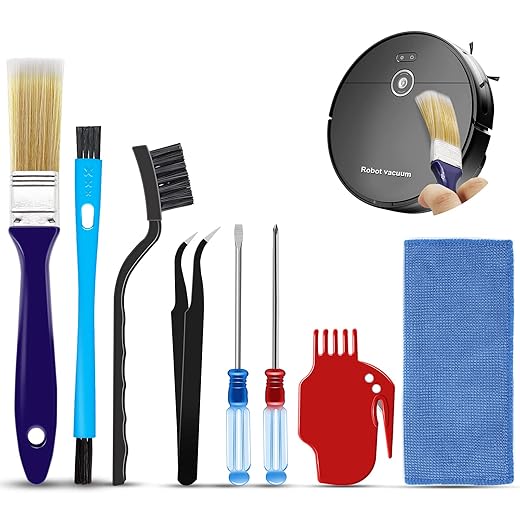
Amazing kit. My new best friend. I love it because it’s the exact tools I need to clean my MOOSOO Robot vacuum. I clean it out thoroughly twice a week because I have a pet and I have bad allergies. I needed a small paint brush to empty out the dust bin in all cracks and crevices of the dust container. I use the hard brush for the filter tray. I use the roller brush with razor to delint the large roller brush. Tweezers for hair stuck around the feet. I use this kit approximately 2 times per week. LOVE IT.
Works great. I bought this belt to replace the destroyed one on my Bissell Clearview Rewind Pet (model # 2258) and it works fantastic! It was easy to install and I have the second belt for backup. I’m very hard on my vacuums, so I anticipate having to change the belt again before long, haha, so having the spare belt is awesome. My vacuum is a little scary looking on the outside and the roller is even more frightening… last belt literally melted and stuck to the roller. But, since I kept the roller brush free from hair, or anything that would prevent it from spinning, I just kept pushing it along thinking it would keep on keeping on. Not exactly how that works! I never thought about all of the junk that gets wrapped around either end of the roller where it clips into position. Definitely not a lot of fun scraping melted belt off the roller, however, motor and suction are still strong, (yes, I am as surprised as you are by how that’s even a possibility), so I decided to try replacing the belt instead of buying another new vacuum. I sat for over an hour and scraped the rubber off, all while feeling rather stupid for never having thought to clean the roller clips on the sides. I’ve duly noted that part for future reference, haha. I’m tired of paying high prices for things that cost pennies to make, so I found this more cost effective replacement belt, and I feel the belt is of equal quality as the brand ones I’ve purchased prior. I waited to review this belt until after it’d gotten some real wear and tear on it so that my review was an honest one. I’ll definitely purchase these belts from now on.
Works well. All items work well. The vacuum roller cleaner is my favorite item.
Roomba cleaner. Works great
Reliable, safe, and easy-to-use electrical tester. This outlet tester gives me a lot of peace of mind when working around the house. It’s simple to use—just plug it in, and the bright LCD display gives clear, easy-to-read results. The color-coded indicators and built-in GFCI test function make it incredibly functional for quickly checking outlets and ensuring wiring is safe.It’s also reassuring to know I’m catching potential issues before they become bigger problems. The build quality feels solid and durable, so I don’t worry about it failing when I need it most. It works well every time I’ve tested it, even compared to a more expensive professional tester.This is a perfect tool for homeowners or DIYers looking for something safe, accurate, and functional to check their electrical systems.
Essential Tool for Electricians and DIY Pros. As an electrician or serious DIY-er who cares about doing things right, this tester has quickly become one of my favorite go-to tools. The RT250 is packed with features and built to handle real-world job-site demands.What stands out:The large back-lit LCD display clearly shows voltage, wiring condition, and the time it takes a GFCI to trip—making testing thorough and faster.It automatically detects open neutral, open ground, and other common wiring faults—no more guesswork.The built-in GFCI test button trips the device and the timer measures how long it takes—great for verifying that the GFCI meets spec.Rugged build: rated for a 6.6-foot (2 m) drop and meets CAT II 135 V safety rating—solid for a busy job site.It’s compact and lightweight (just 4.8 oz) but feels tough—durable housing and robust plug make it practical for everyday use.My experience on the job:I’ve used this tester across new installs, upgrades, and troubleshooting older receptacles. It quickly flags incorrect wiring (open ground, reverse hot/neutral, etc.), and the extra info like voltage readout and trip time saves me from coming back later for retests. Switching between circuits is fast, the screen holds readings with Auto-Hold (perfect for hard-to-reach outlets), and the indicator LEDs still give quick visual cues when I want them.Final verdict:If you’re working with North American 3-wire 120 V outlets (especially ones with GFCI protection), this tester hits all the right notes: precision diagnostics, rugged build, and efficient troubleshooting. It’s built like a pro tool—and priced so that it’s worth having in your bag every day. I highly recommend it.
Perfect replacement. Great product, fit perfectly!
Very good product. This product is very useful in my audio engineering work. Works every time. Very reliable
Work perfect. They work perfectly thank you. Good value for the price
Great. Perfect for my vacuum!
Excellent product. Fits right on and works very well.
Works perfectly. Works perfectly